 GENAZ
02 - Notice of Referral
GENAZ
02 - Notice of Referral  GENAZ
02 - Notice of Referral
GENAZ
02 - Notice of Referral  and select date. This should
reflect the date the document was created.
and select date. This should
reflect the date the document was created.
 to spellcheck.
  for more space. and select date.
 next to This
document was prepared by:. The Find: Staff screen displays.
next to This
document was prepared by:. The Find: Staff screen displays.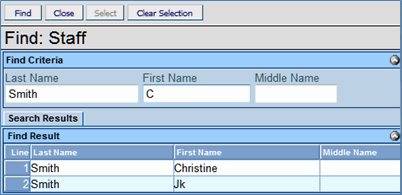
 or press ENTER. Search Results
displays a list of matching criteria.
or press ENTER. Search Results
displays a list of matching criteria. .
Find: Staff screen closes and staff name displays.
.
Find: Staff screen closes and staff name displays. .GENAZ
04 - Notice of Evaluation Decision and select date. This should
reflect the date the document was created.
.GENAZ
04 - Notice of Evaluation Decision and select date. This should
reflect the date the document was created. .Current Decision will display
Not Evaluate.
.Current Decision will display
Not Evaluate. .
.
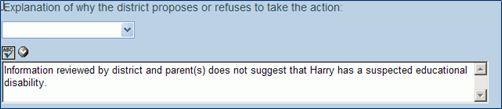 to spellcheck. for more space. and select date. next to This
document was prepared by:. The Find: Staff screen displays. or press ENTER. Search Results
displays a list of matching criteria..
Find: Staff screen closes and staff name displays..GENAZ
08 - Notice of Eligibility and select date. This should
reflect the date the document was created.
to spellcheck. for more space. and select date. next to This
document was prepared by:. The Find: Staff screen displays. or press ENTER. Search Results
displays a list of matching criteria..
Find: Staff screen closes and staff name displays..GENAZ
08 - Notice of Eligibility and select date. This should
reflect the date the document was created. .
.The Decision can be changed back to Evaluate by clicking
 .
.
Based on the decision made above, the document will state that the student is or is not eligible for placement in the selected category or categories.
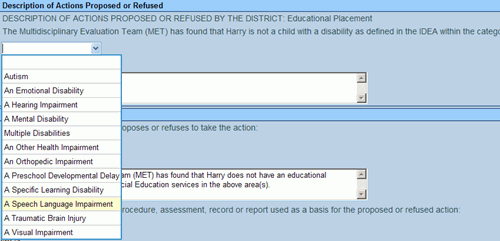
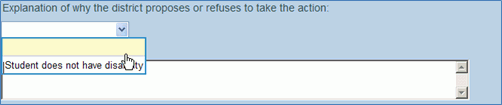 to spellcheck. for more space. and select date. next to This
document was prepared by:. The Find: Staff screen displays. or press ENTER. Search Results
displays a list of matching criteria..
Find: Staff screen closes and staff name displays..
to spellcheck. for more space. and select date. next to This
document was prepared by:. The Find: Staff screen displays. or press ENTER. Search Results
displays a list of matching criteria..
Find: Staff screen closes and staff name displays..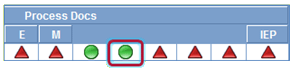
 . A new Notice of Eligibility
document opens.
. A new Notice of Eligibility
document opens. 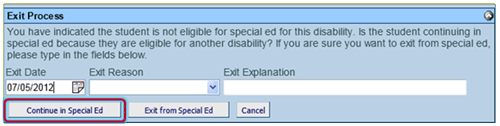
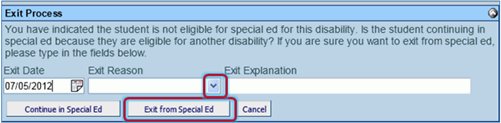 GENAZ
10 - Notice of Placement (Initial) and select date. This should
reflect the date the document was created.
GENAZ
10 - Notice of Placement (Initial) and select date. This should
reflect the date the document was created.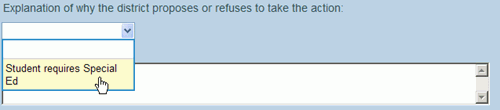
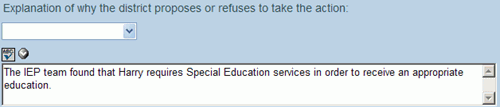 to spellcheck. for more space. and select date. next to This
document was prepared by:. The Find: Staff screen displays. or press ENTER. Search Results
displays a list of matching criteria..
Find: Staff screen closes and staff name displays..GENAZ
11 - Notice of IEP (Initial) and select date. This should
reflect the date the document was created.
to spellcheck. for more space. and select date. next to This
document was prepared by:. The Find: Staff screen displays. or press ENTER. Search Results
displays a list of matching criteria..
Find: Staff screen closes and staff name displays..GENAZ
11 - Notice of IEP (Initial) and select date. This should
reflect the date the document was created.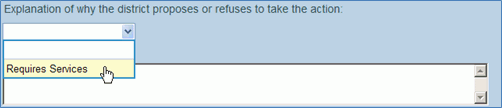
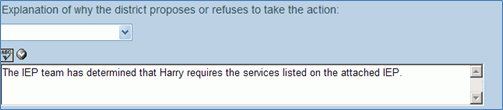 to spellcheck. for more space. and select date. next to This
document was prepared by:. The Find: Staff screen displays. or press ENTER. Search Results
displays a list of matching criteria..
Find: Staff screen closes and staff name displays..GENAZ
13 - Notice of Placement (Review) and select date. This should
reflect the date the document was created.
to spellcheck. for more space. and select date. next to This
document was prepared by:. The Find: Staff screen displays. or press ENTER. Search Results
displays a list of matching criteria..
Find: Staff screen closes and staff name displays..GENAZ
13 - Notice of Placement (Review) and select date. This should
reflect the date the document was created.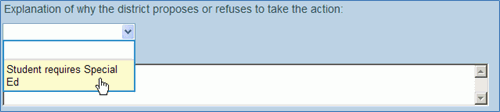
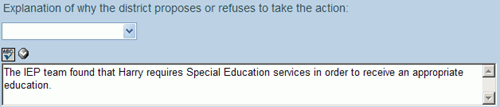 to spellcheck. for more space. and select date. next to This
document was prepared by:. The Find: Staff screen displays. or press ENTER. Search Results
displays a list of matching criteria..
Find: Staff screen closes and staff name displays..GENAZ
14 - Notice of IEP (Review) and select date. This should
reflect the date the document was created.
to spellcheck. for more space. and select date. next to This
document was prepared by:. The Find: Staff screen displays. or press ENTER. Search Results
displays a list of matching criteria..
Find: Staff screen closes and staff name displays..GENAZ
14 - Notice of IEP (Review) and select date. This should
reflect the date the document was created.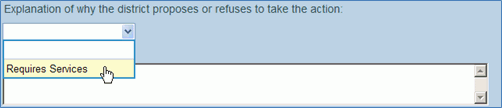
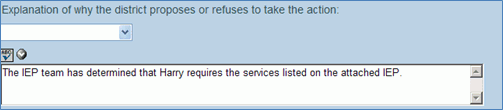 to spellcheck. for more space. and select date. next to This
document was prepared by:. The Find: Staff screen displays. or press ENTER. Search Results
displays a list of matching criteria..
Find: Staff screen closes and staff name displays..GENAZ
15 - Notice of Reeval Waiver
to spellcheck. for more space. and select date. next to This
document was prepared by:. The Find: Staff screen displays. or press ENTER. Search Results
displays a list of matching criteria..
Find: Staff screen closes and staff name displays..GENAZ
15 - Notice of Reeval WaiverThe Notice of Reevaluation Waiver is located in the Reevaluation Process.
A Reevaluation Waiver is conducted when the district and the student’s team agree that the Triennial Evaluation will be waived. GENAZ 55 – Reevaluation Agreement in Ad Hoc documents is a companion to this document. Upon the finalization of this document the student will be moved to the Annual Review Process. The Waiver notice and agreement document will move to Historical Docs. The working copy of the IEP will move with the student. Changes made to the IEP will not be lost.
and select date. This should
reflect the date the document was created.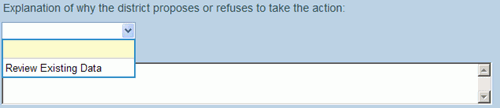
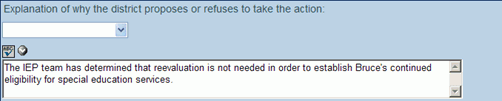 to spellcheck. for more space. and select date. next to This
document was prepared by:. The Find: Staff screen displays. or press ENTER. Search Results
displays a list of matching criteria..
Find: Staff screen closes and staff name displays..GENAZ
16 - Notice of Referral (Reeval) and select date. This should
reflect the date the document was created.
to spellcheck. for more space. and select date. next to This
document was prepared by:. The Find: Staff screen displays. or press ENTER. Search Results
displays a list of matching criteria..
Find: Staff screen closes and staff name displays..GENAZ
16 - Notice of Referral (Reeval) and select date. This should
reflect the date the document was created.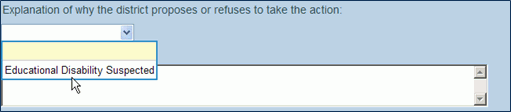
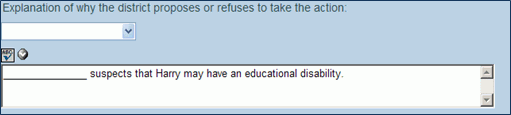 to spellcheck. for more space. and select date. next to This
document was prepared by:. The Find: Staff screen displays. or press ENTER. Search Results
displays a list of matching criteria..
Find: Staff screen closes and staff name displays..GENAZ
17 - Notice of Reevaluation Decision and select date. This should
reflect the date the document was created. .Current Decision will display
Not Evaluate. .
to spellcheck. for more space. and select date. next to This
document was prepared by:. The Find: Staff screen displays. or press ENTER. Search Results
displays a list of matching criteria..
Find: Staff screen closes and staff name displays..GENAZ
17 - Notice of Reevaluation Decision and select date. This should
reflect the date the document was created. .Current Decision will display
Not Evaluate. .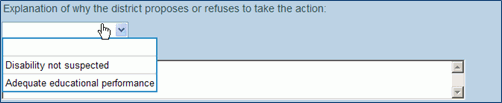 to spellcheck. for more space. and select date. next to This
document was prepared by:. The Find: Staff screen displays. or press ENTER. Search Results
displays a list of matching criteria..
Find: Staff screen closes and staff name displays..GENAZ
18 - Notice of Triennial and select date. This should
reflect the date the document was created.
to spellcheck. for more space. and select date. next to This
document was prepared by:. The Find: Staff screen displays. or press ENTER. Search Results
displays a list of matching criteria..
Find: Staff screen closes and staff name displays..GENAZ
18 - Notice of Triennial and select date. This should
reflect the date the document was created.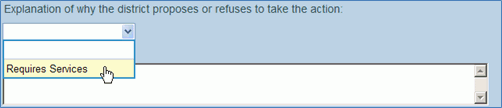
 to spellcheck. for more space. and select date. next to This
document was prepared by:. The Find: Staff screen displays. or press ENTER. Search Results
displays a list of matching criteria..
Find: Staff screen closes and staff name displays..GENAZ
19 - Notice of Test Intent
and select date. This should reflect the date the document was
created.
to spellcheck. for more space. and select date. next to This
document was prepared by:. The Find: Staff screen displays. or press ENTER. Search Results
displays a list of matching criteria..
Find: Staff screen closes and staff name displays..GENAZ
19 - Notice of Test Intent
and select date. This should reflect the date the document was
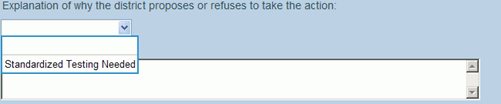
created. .
Current Decision will display Intent Not to Test.
.
Current Decision will display Intent Not to Test. .
.
 to spellcheck. for more space. and select date. next to This
document was prepared by:. The Find: Staff screen displays. or press ENTER. Search Results
displays a list of matching criteria..
Find: Staff screen closes and staff name displays...GENAZ
20 - Notice of Termination and select date. This should
reflect the date the document was created.
to spellcheck. for more space. and select date. next to This
document was prepared by:. The Find: Staff screen displays. or press ENTER. Search Results
displays a list of matching criteria..
Find: Staff screen closes and staff name displays...GENAZ
20 - Notice of Termination and select date. This should
reflect the date the document was created. .Current
Decision will display Terminate All Services.
.Current
Decision will display Terminate All Services.  .
.
 to spellcheck. for more space. and select date. next to This
document was prepared by:. The Find: Staff screen displays. or press ENTER. Search Results
displays a list of matching criteria..
Find: Staff screen closes and staff name displays..
to spellcheck. for more space. and select date. next to This
document was prepared by:. The Find: Staff screen displays. or press ENTER. Search Results
displays a list of matching criteria..
Find: Staff screen closes and staff name displays.. .
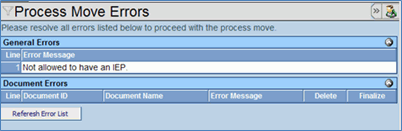
.
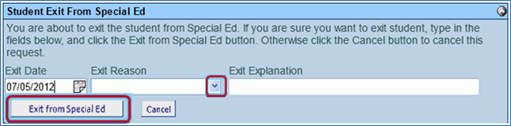
GENAZ
21 - Notice of Continued Placement and select date. This should
reflect the date the document was created.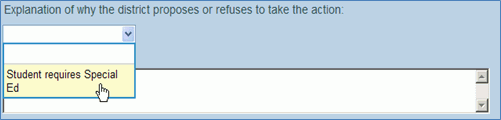 to spellcheck. for more space. and select date. next to This
document was prepared by:. The Find: Staff screen displays. or press ENTER. Search Results
displays a list of matching criteria..
Find: Staff screen closes and staff name displays..GENAZ
22 - Notice of IEP (Reeval) and select date. This should
reflect the date the document was created. to spellcheck. for more space. and select date. next to This
document was prepared by:. The Find: Staff screen displays. or press ENTER. Search Results
displays a list of matching criteria..
Find: Staff screen closes and staff name displays..GENAZ
23 - Notice of Transfer and select date. This should
reflect the date the document was created.
to spellcheck. for more space. and select date. next to This
document was prepared by:. The Find: Staff screen displays. or press ENTER. Search Results
displays a list of matching criteria..
Find: Staff screen closes and staff name displays..GENAZ
22 - Notice of IEP (Reeval) and select date. This should
reflect the date the document was created. to spellcheck. for more space. and select date. next to This
document was prepared by:. The Find: Staff screen displays. or press ENTER. Search Results
displays a list of matching criteria..
Find: Staff screen closes and staff name displays..GENAZ
23 - Notice of Transfer and select date. This should
reflect the date the document was created.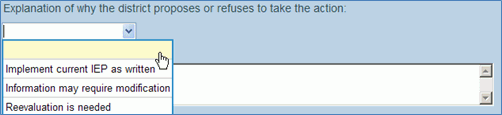
 to spellcheck. for more space. and select date. next to This
document was prepared by:. The Find: Staff screen displays. or press ENTER. Search Results
displays a list of matching criteria..
Find: Staff screen closes and staff name displays..GENAZ
25 - Notice of Referral (Preschool) and select date. This should
reflect the date the document was created. to spellcheck. for more space. and select date. next to This
document was prepared by:. The Find: Staff screen displays. or press ENTER. Search Results
displays a list of matching criteria..
Find: Staff screen closes and staff name displays..GENAZ
26 - Notice of Evaluation Decision (Preschool) and select date. This should
reflect the date the document was created. .Current Decision will display
Not Evaluate. . to spellcheck. for more space. and select date. next to This
document was prepared by:. The Find: Staff screen displays. or press ENTER. Search Results
displays a list of matching criteria..
Find: Staff screen closes and staff name displays..GENAZ
27 - Notice of Placement (Preschool) and select date. This should
reflect the date the document was created. to spellcheck. for more space. and select date. next to This
document was prepared by:. The Find: Staff screen displays. or press ENTER. Search Results
displays a list of matching criteria..
Find: Staff screen closes and staff name displays..GENAZ
28 - Notice of IEP (Preschool) and select date. This should
reflect the date the document was created. to spellcheck. for more space. and select date. next to This
document was prepared by:. The Find: Staff screen displays. or press ENTER. Search Results
displays a list of matching criteria..
Find: Staff screen closes and staff name displays..GENAZ
40 - Prior Written Notice and select date. This should
reflect the date the document was created.
to spellcheck. for more space. and select date. next to This
document was prepared by:. The Find: Staff screen displays. or press ENTER. Search Results
displays a list of matching criteria..
Find: Staff screen closes and staff name displays..GENAZ
25 - Notice of Referral (Preschool) and select date. This should
reflect the date the document was created. to spellcheck. for more space. and select date. next to This
document was prepared by:. The Find: Staff screen displays. or press ENTER. Search Results
displays a list of matching criteria..
Find: Staff screen closes and staff name displays..GENAZ
26 - Notice of Evaluation Decision (Preschool) and select date. This should
reflect the date the document was created. .Current Decision will display
Not Evaluate. . to spellcheck. for more space. and select date. next to This
document was prepared by:. The Find: Staff screen displays. or press ENTER. Search Results
displays a list of matching criteria..
Find: Staff screen closes and staff name displays..GENAZ
27 - Notice of Placement (Preschool) and select date. This should
reflect the date the document was created. to spellcheck. for more space. and select date. next to This
document was prepared by:. The Find: Staff screen displays. or press ENTER. Search Results
displays a list of matching criteria..
Find: Staff screen closes and staff name displays..GENAZ
28 - Notice of IEP (Preschool) and select date. This should
reflect the date the document was created. to spellcheck. for more space. and select date. next to This
document was prepared by:. The Find: Staff screen displays. or press ENTER. Search Results
displays a list of matching criteria..
Find: Staff screen closes and staff name displays..GENAZ
40 - Prior Written Notice and select date. This should
reflect the date the document was created.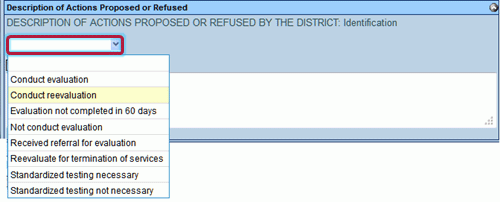
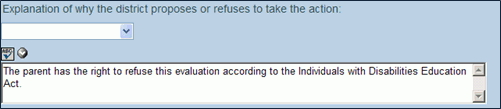 to spellcheck. for more space. and select date. next to This
document was prepared by:. The Find: Staff screen displays. or press ENTER. Search Results
displays a list of matching criteria..
Find: Staff screen closes and staff name displays..GENAZ
41E - Notice of Refusal of Evaluation and select date. This should
reflect the date the document was created.
to spellcheck. for more space. and select date. next to This
document was prepared by:. The Find: Staff screen displays. or press ENTER. Search Results
displays a list of matching criteria..
Find: Staff screen closes and staff name displays..GENAZ
41E - Notice of Refusal of Evaluation and select date. This should
reflect the date the document was created.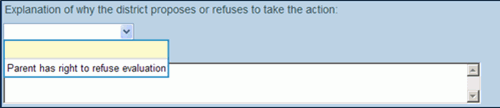 to spellcheck. for more space. and select date. next to This
document was prepared by:. The Find: Staff screen displays. or press ENTER. Search Results
displays a list of matching criteria..
Find: Staff screen closes and staff name displays..GENAZ
41F - Notice of Refusal of FAPE and select date. This should
reflect the date the document was created. to spellcheck. for more space. and select date. next to This
document was prepared by:. The Find: Staff screen displays. or press ENTER. Search Results
displays a list of matching criteria..
Find: Staff screen closes and staff name displays..GENAZ
100 - Notice of Graduation to spellcheck. for more space. and select date. next to This
document was prepared by:. The Find: Staff screen displays. or press ENTER. Search Results
displays a list of matching criteria..
Find: Staff screen closes and staff name displays.... The student record will be
removed from the Portfolio screen. The finalized document displays
on the Historical Docs tab.GENAZ
502 - TAP Parent Notice and select date. This should
reflect the date the document was created. next to This
document was prepared by:. The Find: Staff screen displays. or press ENTER. Search Results
displays a list of matching criteria..
Find: Staff screen closes and staff name displays.
to spellcheck. for more space. and select date. next to This
document was prepared by:. The Find: Staff screen displays. or press ENTER. Search Results
displays a list of matching criteria..
Find: Staff screen closes and staff name displays..GENAZ
41F - Notice of Refusal of FAPE and select date. This should
reflect the date the document was created. to spellcheck. for more space. and select date. next to This
document was prepared by:. The Find: Staff screen displays. or press ENTER. Search Results
displays a list of matching criteria..
Find: Staff screen closes and staff name displays..GENAZ
100 - Notice of Graduation to spellcheck. for more space. and select date. next to This
document was prepared by:. The Find: Staff screen displays. or press ENTER. Search Results
displays a list of matching criteria..
Find: Staff screen closes and staff name displays.... The student record will be
removed from the Portfolio screen. The finalized document displays
on the Historical Docs tab.GENAZ
502 - TAP Parent Notice and select date. This should
reflect the date the document was created. next to This
document was prepared by:. The Find: Staff screen displays. or press ENTER. Search Results
displays a list of matching criteria..
Find: Staff screen closes and staff name displays. and select the staff role.
 on the Staff bar. A new line
is added to the grid.
on the Staff bar. A new line
is added to the grid. on the line of the staff name to remove. The row is removed. on the Other Specialists bar.
A new row will be added. next to Form Completed By: and use the
Find: Staff view. .
on the line of the staff name to remove. The row is removed. on the Other Specialists bar.
A new row will be added. next to Form Completed By: and use the
Find: Staff view. .