 Add a
New Category
Add a
New Category Add a
New Category
Add a
New Category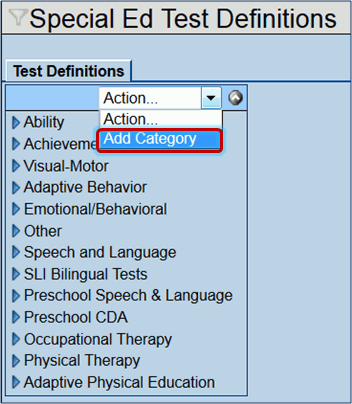

 .
The new category displays in the Category list.
.
The new category displays in the Category list.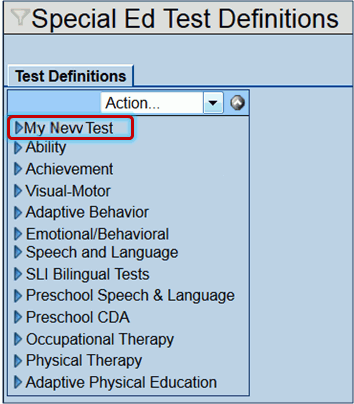 Add New
Test Group to an Existing Category
Add New
Test Group to an Existing Category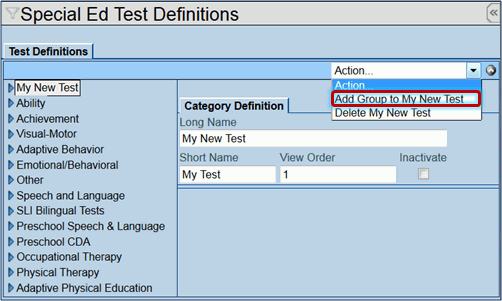 .
The new test group displays under the Category.Add a
New Test to a Test Group
.
The new test group displays under the Category.Add a
New Test to a Test Group next
to the Category name.
next
to the Category name.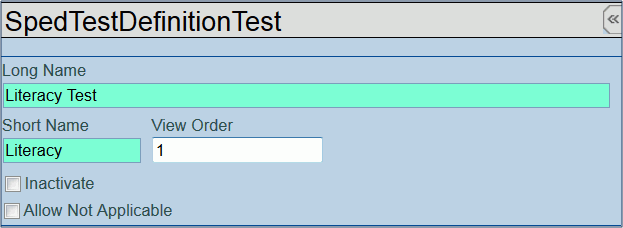 .
The new test displays under the group.Edit
Existing Special Ed Test Definitions next
to Category name. The
name highlights and the details display on the right.
.
The new test displays under the group.Edit
Existing Special Ed Test Definitions next
to Category name. The
name highlights and the details display on the right.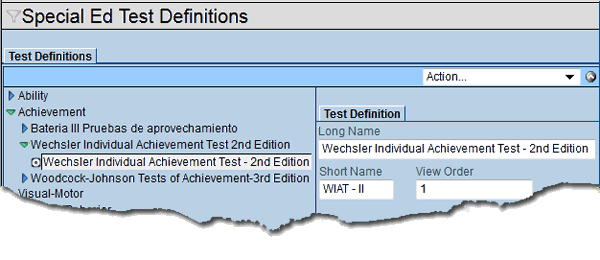
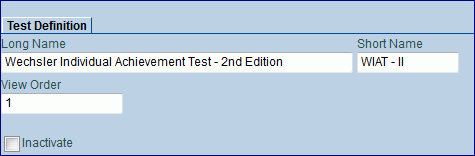
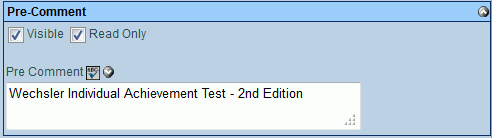

 to
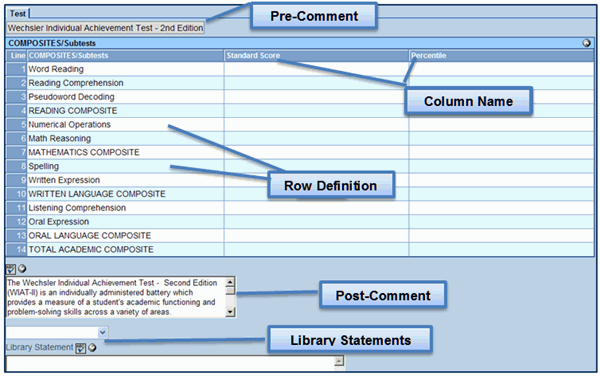
add a new table (grid)..
to
add a new table (grid).. . A detailed screen opens to the right.
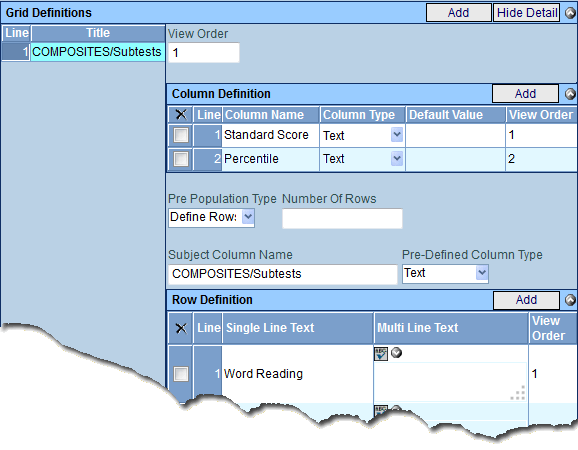 on the
Column Definition bar.
A new line is added to the grid.
on the
Column Definition bar.
A new line is added to the grid. and select the type of
data that will be entered. The choices are: Text,
Date, Yes/No Drop Down or Multi-Line
Text.
and select the type of
data that will be entered. The choices are: Text,
Date, Yes/No Drop Down or Multi-Line
Text.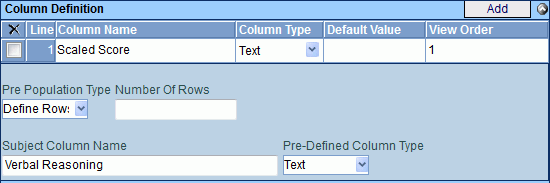 and select. The choices are: None,
Number of Rows, or Define
Rows. Usually Define Rows is selected. If Number of Rows
is selected, the Number of Rows textbox will need to be addressed.. The choices are: Text or Multi-Line
Text.. on the
Row Definition bar to
define the data that displays on the first row of this table (Row
Titles). A new line is added to grid.
and select. The choices are: None,
Number of Rows, or Define
Rows. Usually Define Rows is selected. If Number of Rows
is selected, the Number of Rows textbox will need to be addressed.. The choices are: Text or Multi-Line
Text.. on the
Row Definition bar to
define the data that displays on the first row of this table (Row
Titles). A new line is added to grid.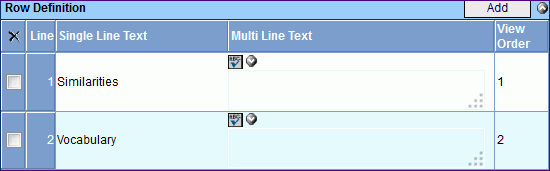 .
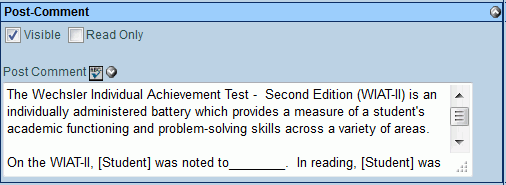
.
 on the
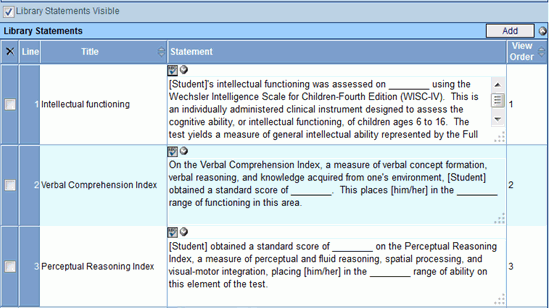
Library Statements bar
to add Library Statements to the document.
on the
Library Statements bar
to add Library Statements to the document. to spell check. Click
  for more space..
 Delete
a Special Ed Test Definition.
The Special Ed Groups and Sub-groups which exist under the selected
Category will no longer be accessible in the MET Report.
Delete
a Special Ed Test Definition.
The Special Ed Groups and Sub-groups which exist under the selected
Category will no longer be accessible in the MET Report.