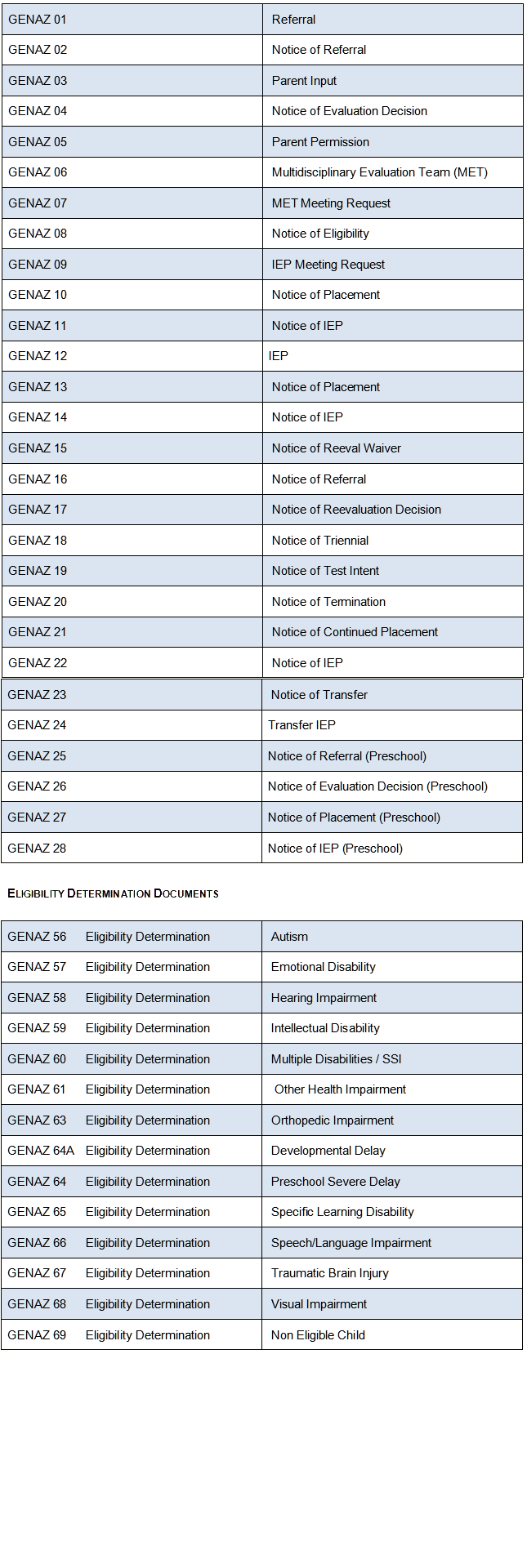
Process
Documents
Process
Documents Process
Documents
Process
Documents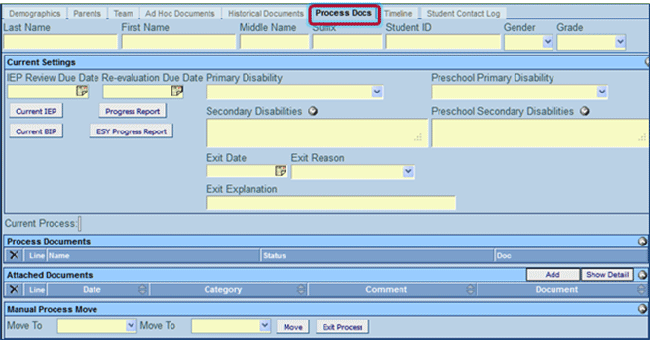
 The Current IEP button that will open the student’s current
IEP for viewing. This is the IEP that has been finalized (locked).
The Current IEP button that will open the student’s current
IEP for viewing. This is the IEP that has been finalized (locked). The Progress Report button
that will open the student’s current progress report for updating.
The Progress Report button
that will open the student’s current progress report for updating. The Current BIP button
that will open the student’s current BIP for viewing. This is
the BIP that has been finalized (locked).
The Current BIP button
that will open the student’s current BIP for viewing. This is
the BIP that has been finalized (locked). The ESY Progress Report
button that will open the student’s current ESY Progress report
for updating.Multiple
Users in a Document
The ESY Progress Report
button that will open the student’s current ESY Progress report
for updating.Multiple
Users in a Document will have their data saved.:
 to allow the other user’s entry to appear. .Deleting
a Document
to allow the other user’s entry to appear. .Deleting
a Document or
or  .
A message will display confirming the deletion of the document.
.
A message will display confirming the deletion of the document. .
To cancel the deletion, click
.
To cancel the deletion, click  . The document
will close and the system will return to the previous screen.Printing
a Document
. The document
will close and the system will return to the previous screen.Printing
a Document or .
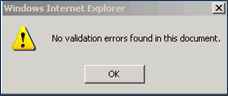
or . Validating
a Document or .
Validating
a Document or .

 .
. 
 Finalizing
a Document
Finalizing
a Document in the Action
Bar of the document. If the button is grayed out (un-clickable)
click or .
in the Action
Bar of the document. If the button is grayed out (un-clickable)
click or . Creating
Multiple Documents
Creating
Multiple Documents
 . A new Meeting
Request template displays. This document will represent the new
meeting that has been rescheduled. Process
Documents List
. A new Meeting
Request template displays. This document will represent the new
meeting that has been rescheduled. Process
Documents List